Early Access

Gofer UI

A browser extension that enhances gameplay on hordes.io.

100% local. No accounts, no servers, no tracking.

This is an early release, so some features may still be incomplete or a little rough around the edges.

Gofer may not play well with other extensions or userscripts that also modify the game UI (e.g. Tampermonkey scripts). Running these together isn't officially supported and can cause conflicts.

Gofer UI is currently invite-only: access requires joining our testing Google Group.
↓ Features

Everything you need on hordes.io

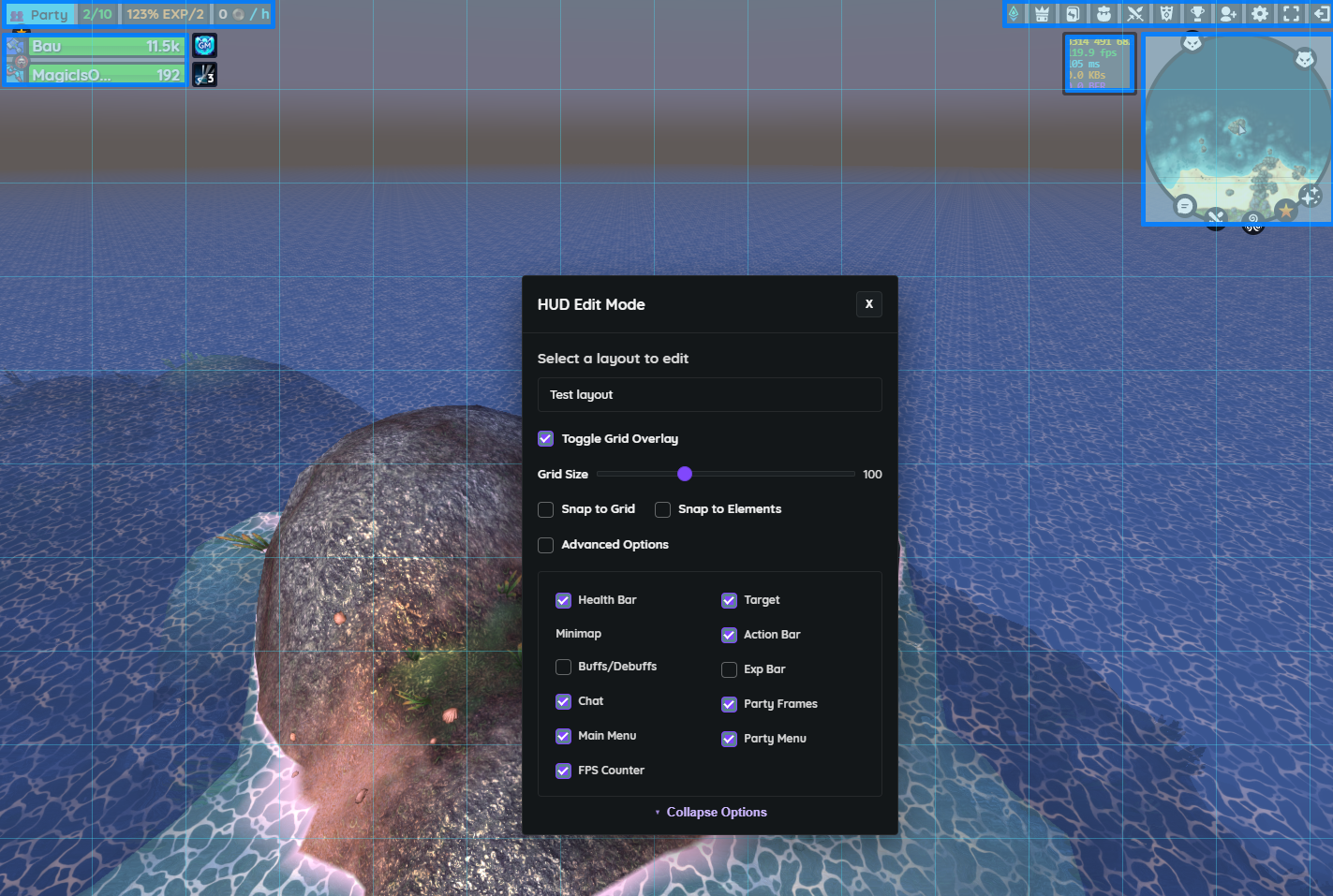
HUD edit mode with grid overlay and per-element toggles

Rebuild your HUD v1.0.0

Drag, snap to grid, and toggle every HUD element on or off to build a layout that fits how you play.

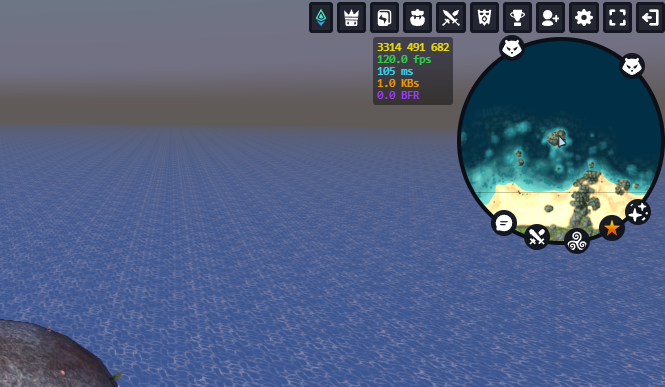
Round minimap with addon quick-access icons

Redesigned minimap v1.0.0

A round minimap with one-click shortcuts to every addon, right where you're already looking.

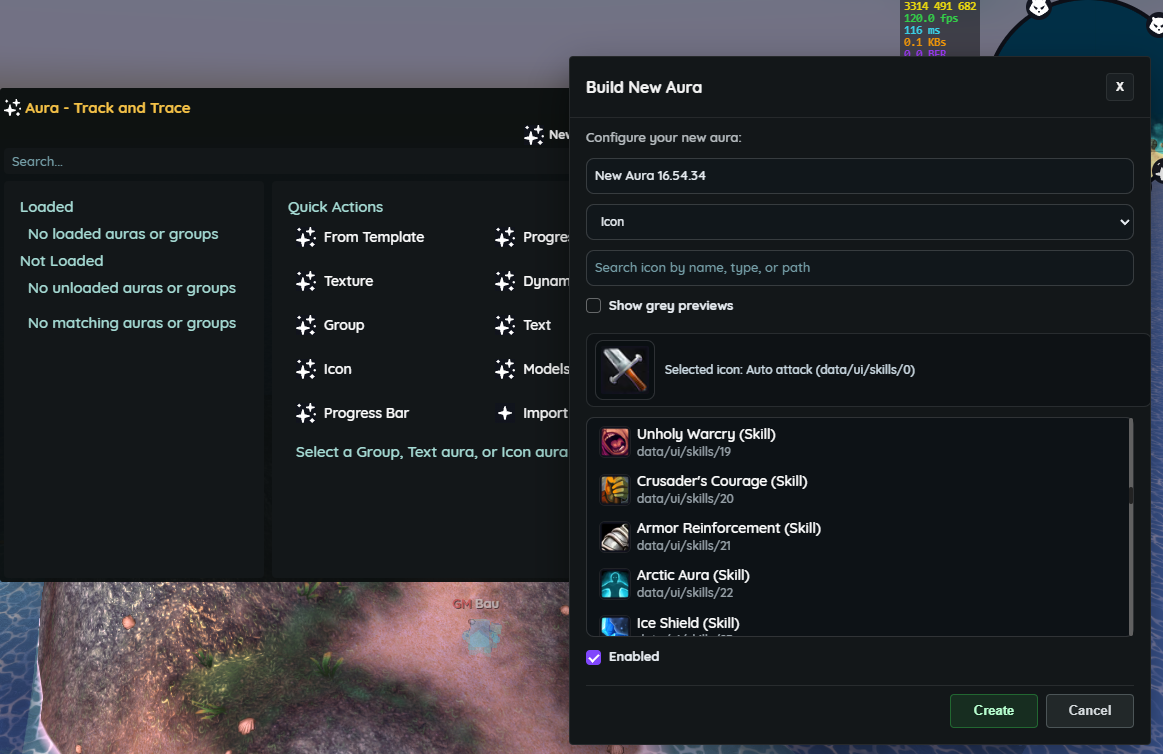
Aura addon interface for building a custom tracker

Aura: track anything v1.0.0

Build custom buff, debuff, and cooldown trackers, no coding required.

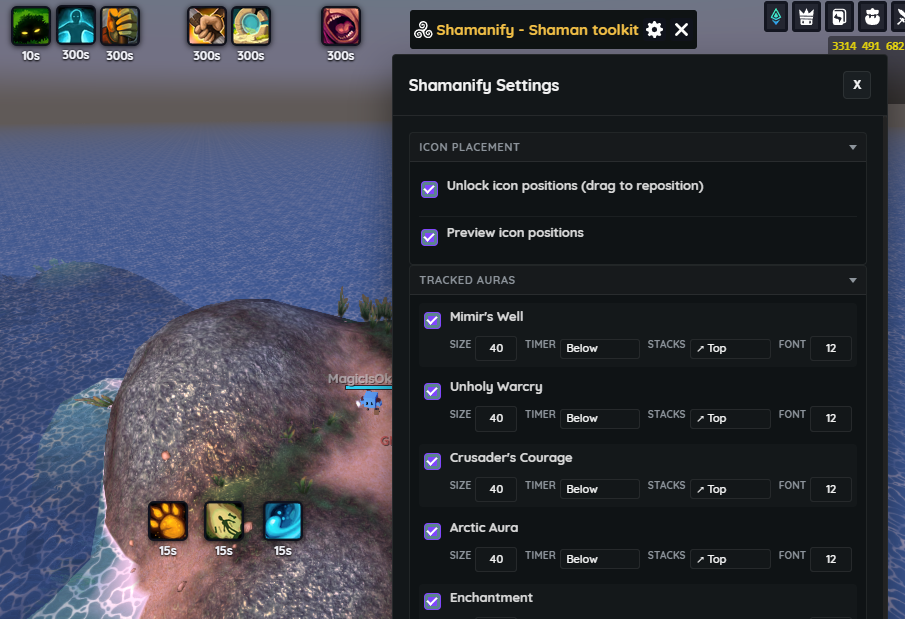
Shamanify settings panel with tracked auras and icon layout

Shamanify v1.0.0

A shaman-specific toolkit with curated aura tracking and fully repositionable icons.

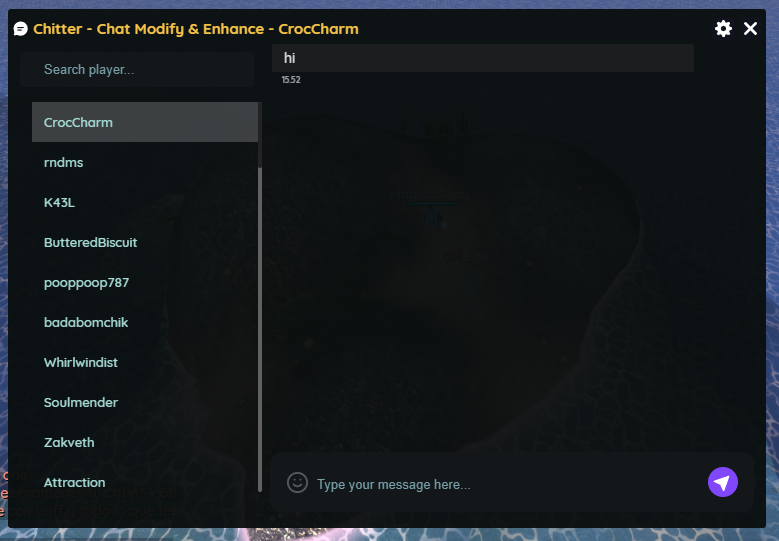
Chitter whisper chat panel with player list

Chitter: whisper, upgraded v1.0.0

A cleaner whisper panel with player search and per-conversation history.

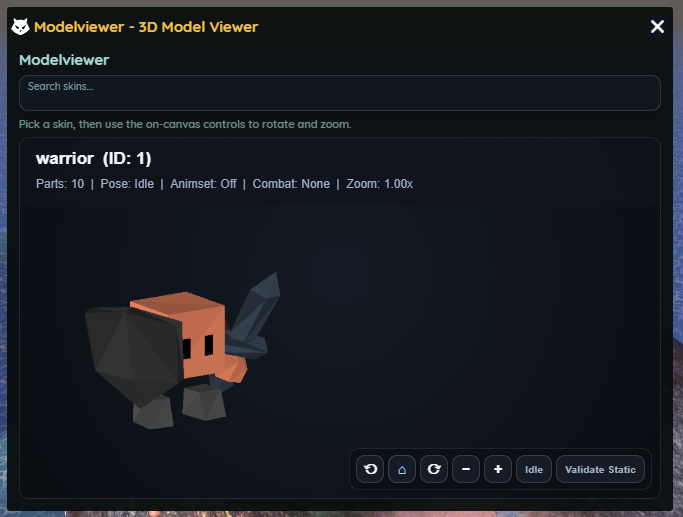
3D model viewer showing a rotatable warrior skin

3D model viewer v1.0.0

Pick any in-game skin and rotate or zoom it in full 3D.

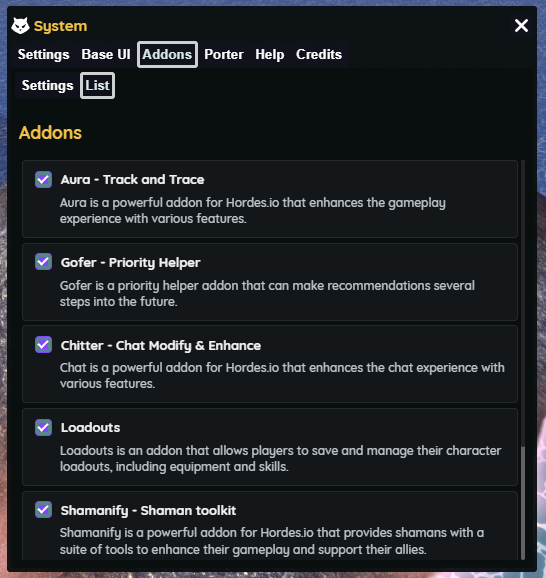
Addon list showing individually toggleable addons

Pick what you need v1.0.0

Every addon can be enabled or disabled on its own, so your setup stays as light or as full-featured as you want.

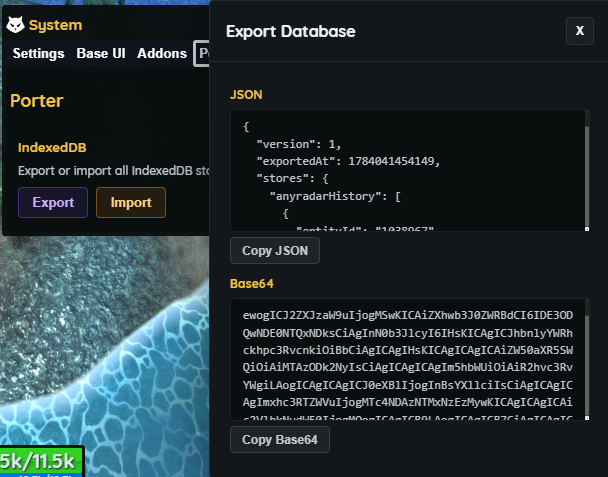
Porter panel for exporting and importing local backup data

Back up your data v1.0.0

Export or import all of your locally stored data as a backup, entirely under your control.

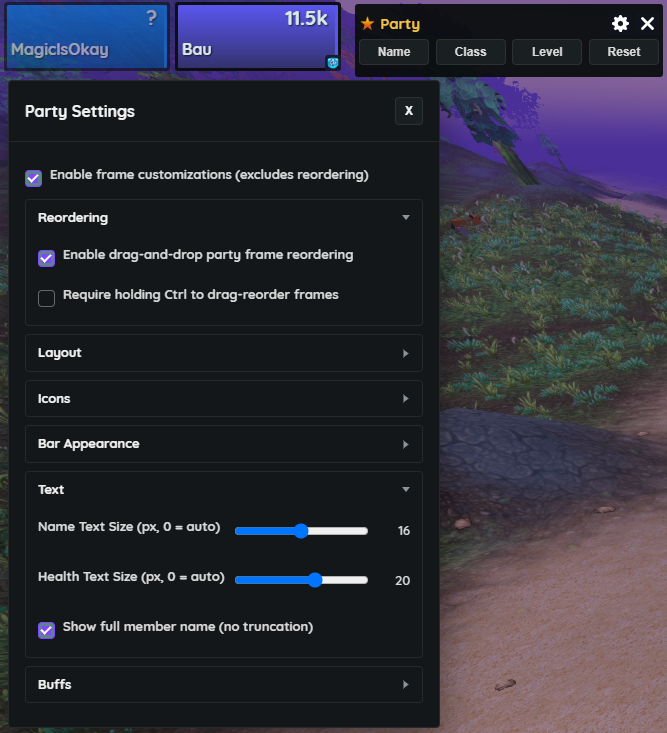
Party Settings panel with drag-and-drop frame reordering and customization options

Modifiable, sortable party frames v1.0.0

Reorder party frames with drag-and-drop, and customize their layout, icons, bars, and text. Works right alongside the Base UI Editor.